×

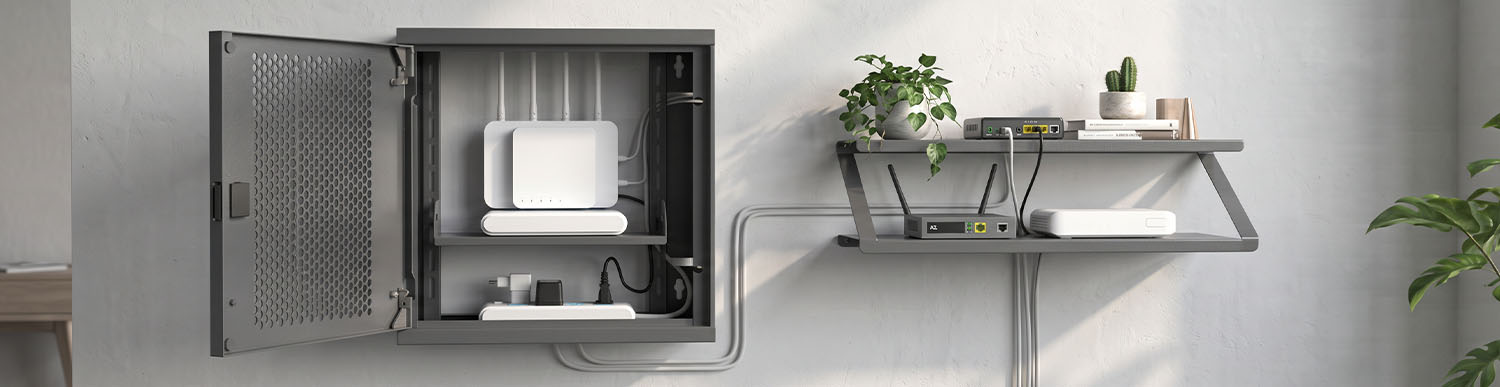
If you want to mount your modem on a wall, a wall-mounted modem box is more suitable for enclosed storage and organised cable management, while a modem shelf is better for easy access and an open installation. Before choosing, consider the wall type, load-bearing capacity, mounting height, ventilation and Wi-Fi signal. The ALFAHOME Ziglat series offers WiFi Box modem enclosures for enclosed, lockable installations and the Ziglat 150 Metal Shelf for open storage.
Estimated reading time: 7 minutes
A wall-mounted modem box is more suitable if cable management, a concealed appearance or restricted access is important. A modem shelf is a better option if you need frequent access to the device, have relatively few cables and prefer an open installation.
These are two different products. A box encloses the device, whereas a shelf provides an open surface on which to place it.
| Criteria | Wall-mounted modem box | Modem shelf |
|---|---|---|
| Best suited for | Keeping the modem, adapter and cables together | A single modem that requires frequent access |
| Cable management | Organised through cable entry points | Cables may remain visible |
| Ventilation | Depends on the door design | The open structure can improve airflow |
| Access control | Can be restricted with lockable models | Equipment remains accessible |
| Mounting load | Weight of the box plus equipment | Weight of the shelf plus equipment |
An enclosed design does not automatically guarantee adequate ventilation, just as an open shelf is not necessarily ideal for every modem. For more detailed guidance, see our modem box selection guide and our article on how to hide a modem.
The wall construction is one of the most important factors when mounting a modem box or shelf. The same enclosure or shelf may require different fixings depending on the wall.
| Wall type | What to consider |
|---|---|
| Concrete | Drill using an appropriate hammer drill setting and use wall plugs and screws designed for concrete. |
| Perforated brick | Choose plugs suitable for hollow masonry. Use a non-hammer or low-impact drilling setting where appropriate. |
| Aerated concrete | Special fixings for aerated concrete are required. Standard wall plugs may not provide sufficient support. |
| Plasterboard | Use suitable plasterboard fixings. For heavier loads, fixing to a supporting stud or adding reinforcement may be necessary. |
Before drilling, remember that electrical cables and water pipes may run inside the wall. Use a cable and pipe detector or seek professional assistance if necessary.
The mounting hardware supplied with a product may not be suitable for every wall type. Check that the fixings are appropriate for your wall, the product and the combined weight of the equipment. For heavy equipment or unsuitable surfaces, use a professional installer.
The position affects both everyday convenience and Wi-Fi performance. Consider the following:
Proximity to the internet connection and power socket: This helps minimise cable runs. If your fibre-optic line does not reach the modem, see our guide to extending a fibre-optic cable.
A central position in the home: To help Wi-Fi reach the rooms where it is needed, avoid placing the modem in a corner or enclosed area.
Mounting height: Positioning the modem relatively high, away from the floor and large metal objects, can help improve signal propagation. Choose a height that still allows convenient access to the device.
Airflow: Keep the modem away from heat sources such as radiators, stoves and direct sunlight, as well as narrow, poorly ventilated spaces.
Accessibility: Leave enough clearance in front of the enclosure to open the door and connect or disconnect cables.
Dimensions, materials, ventilation and Wi-Fi are covered in more detail in our main modem box guide. For wall-mounted installations, pay particular attention to the following:
Internal dimensions: The modem, power adapter and cables should fit without excessive bending.
Total weight: The wall and mounting fixings must support the combined weight of the enclosure, modem and adapter.
Mounting holes: Their positions and number should be compatible with the available fixing points on the wall.
Cable entry points: These should align with the direction from which the cables enter the enclosure.
Ventilation: The door or body should have openings that support airflow.
Lock: Choose a lockable model if you need to restrict access in offices, cafés or shared spaces.
Width and depth: The shelf should provide enough space for the modem, antennas and power adapter. The device should not overhang the edges.
Clearance above the shelf: Check the available height if your modem has upright antennas or a tall design.
Load-bearing capacity: The stated capacity must accommodate the combined weight of the modem and accessories. It is not enough for the equipment simply to fit; the mounting fixings must also support the load.
Cable management: Cables remain visible on an open shelf. Plan the cable routes and socket positions before installation.
Wi-Fi: The shelf's position, antenna placement and nearby walls or furniture can affect signal performance.
Security: Equipment on an open shelf is accessible to others, which may be a concern in shared spaces.
Measure the modem, power adapter and cables, then compare the measurements with the box or shelf dimensions.
Choose the installation position. Check the proximity to the power socket and internet connection, door clearance and ventilation.
Mark the mounting holes using a spirit level.
Check for electrical cables and water pipes before drilling.
Prepare the holes using fixings suitable for the wall type.
Secure the box or shelf and check that it is firmly attached.
Position the modem and cables. Make sure no cables are trapped and that the fibre-optic cable is not sharply bent.
Switch on the device and test Wi-Fi performance in rooms farther away.
Ignoring the wall type: Using standard wall plugs in plasterboard or aerated concrete.
Failing to calculate the total weight: Overlooking the combined load of the enclosure and equipment when selecting fixings.
Not checking for concealed services before drilling.
Restricting ventilation: Installing the box in a narrow, hot or poorly ventilated area.
Failing to plan cable routes: Allowing connections to become strained or difficult to access.
Not testing Wi-Fi performance after installation.
Failing to leave enough room to open the door.
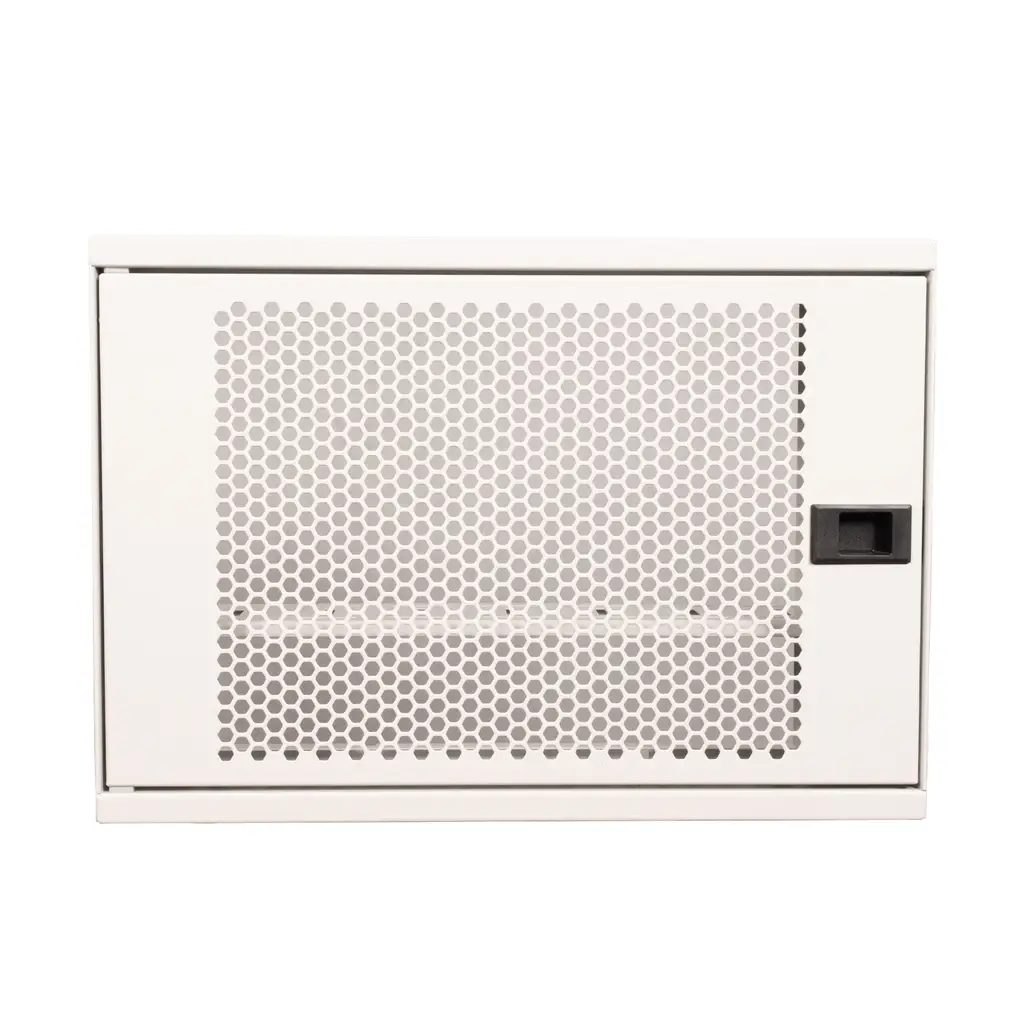
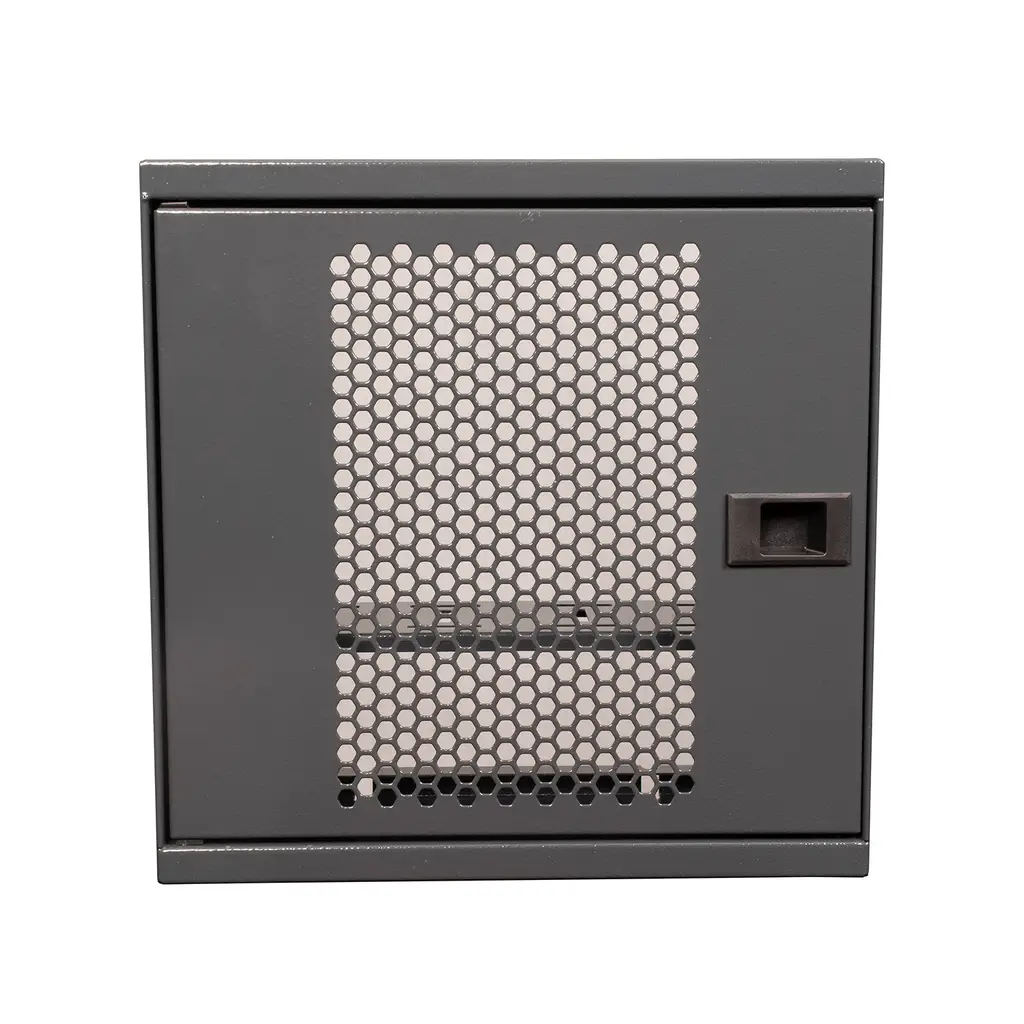
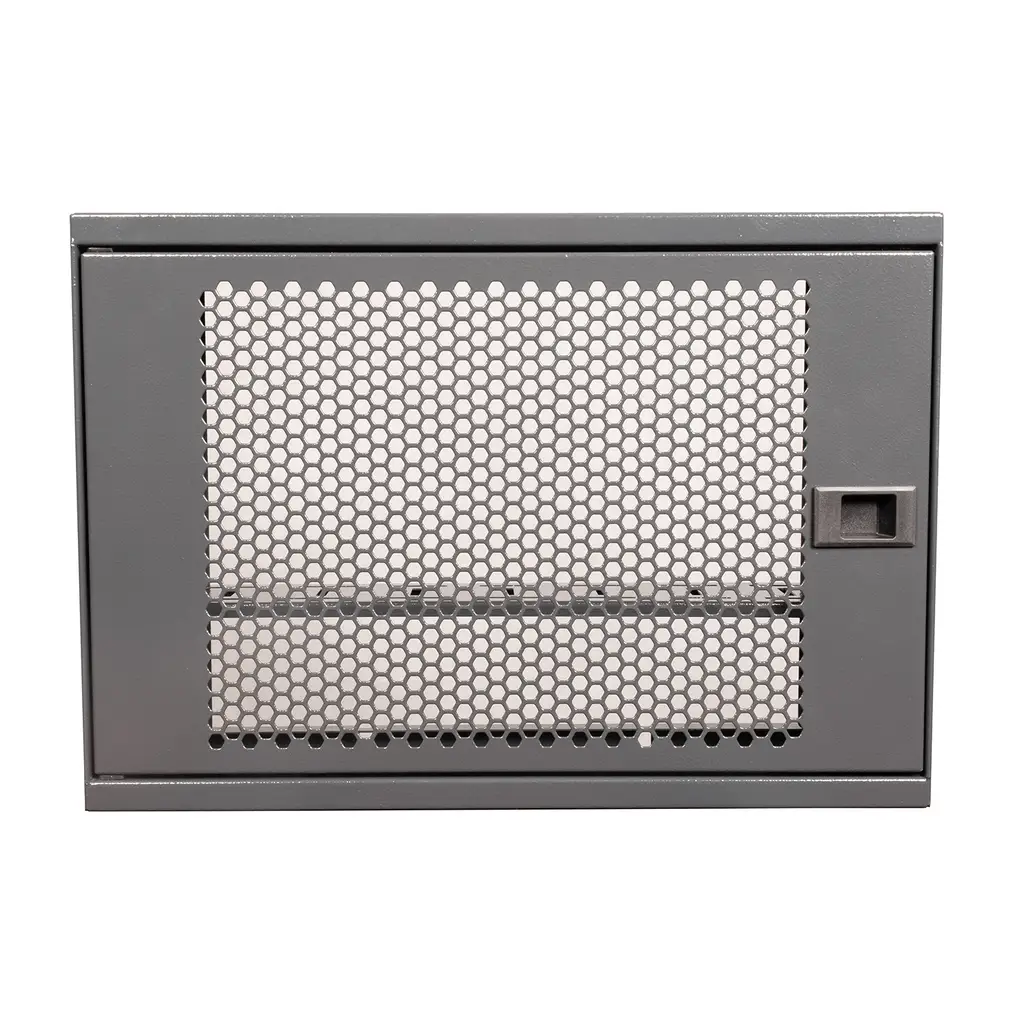
The ALFAHOME Ziglat series caters for both types of installation. The Ziglat WiFi Box models provide enclosed, lockable storage, while the Ziglat 150 Metal Shelf offers an open alternative.
The Ziglat WiFi Box series consists of wall-mounted, lockable metal enclosures designed to house modems, routers, ONT devices (fibre-optic internet terminals), switches, sockets, power adapters and connecting cables in one place.
According to the product description, the models are suitable for wall mounting and are supplied assembled with wall-mounting hardware.
Metal body with an electrostatic epoxy-polyester powder-coated finish.
Perforated metal front door designed to support air circulation.
Cable entry points.
Four colours: Anthracite Grey, Matt White, Orange and Green.
Two-year warranty and manufactured in Türkiye.
| Model | Dimensions | Colours |
|---|---|---|
| Ziglat 450 | 450 × 350 × 120 mm | Anthracite Grey, Matt White, Orange, Green |
| Ziglat 400 | 400 × 280 × 120 mm | Anthracite Grey, Matt White, Orange, Green |
| Ziglat 280 | 280 × 280 × 120 mm | Anthracite Grey, Matt White, Orange, Green |
Explore all models in the Wi-Fi Box – Modem Box category.
Note: The effect of a metal enclosure on Wi-Fi signal propagation depends on the modem's antenna position and the surrounding environment. Test wireless coverage after installation.
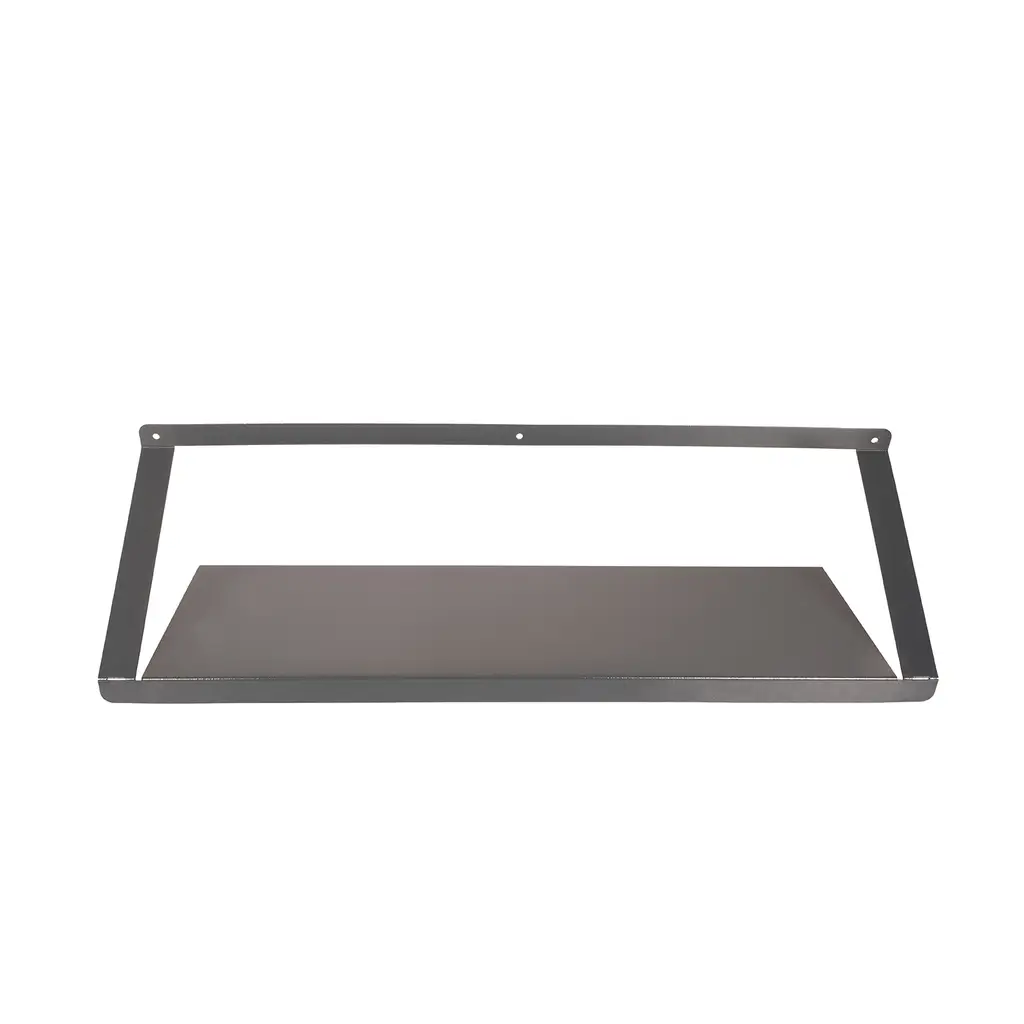
The Ziglat 150 is a general-purpose wall-mounted metal shelf rather than a product designed exclusively for modems. It can be considered as an open shelving option for lightweight networking equipment, such as a modem, router or ONT device. It is suitable for users who need frequent access to their equipment and do not require an enclosed box.
| Feature | Specification |
|---|---|
| Dimensions | 700 × 200 × 150 mm |
| Shelf weight | 2.2 kg |
| Maximum load capacity | 20 kg |
| Construction | Monobloc metal with a 100-micron epoxy-polyester powder-coated finish |
| Colours | Matt White, Orange, Green; add the fourth colour if confirmed |
| Delivery | Supplied assembled, with a two-year warranty |
Explore the Ziglat 150 Metal Shelf.
Before using the shelf, check the following:
The modem and adapter must fit within the 200 mm depth.
As the shelf is open, cables remain visible. Plan the cable routes in advance.
The shelf is not lockable. If you need to restrict access in a shared space, choose a lockable Ziglat WiFi Box model.
The 20 kg figure refers to the shelf's load capacity. A modem will typically weigh much less; the wall construction and mounting fixings are the more important considerations.
It houses the modem, power adapter and cables in a single wall-mounted enclosure. This helps reduce cable clutter and creates a tidier installation. Lockable models can also restrict access to the equipment.
A box is more suitable if you want enclosed storage, organised cables or a lock. A shelf is better if you need frequent access and prefer an open installation. Ventilation, cable access and Wi-Fi performance should be considered in both cases.
The same mounting method is not suitable for every wall. Concrete, brick, aerated concrete and plasterboard require different fixings. Check the wall construction, total weight and manufacturer's instructions before installation.
There is no single ideal height. Position the modem relatively high, away from the floor and large metal objects, while keeping it accessible. Also consider the location of the power socket and internet connection.
It may be possible for lighter loads using suitable plasterboard fixings. For heavier equipment, fixing to a supporting stud or adding reinforcement may be necessary. Seek professional advice if you are unsure about the wall construction.
Some modems have built-in wall-mounting points. Check the device manual before installation. A box or shelf may still be useful for ventilation, cable management and a more organised appearance.
Metal enclosures can affect wireless signal propagation. The extent of the impact depends on the enclosure design, modem antennas and positioning. Test the connection after installation.
When choosing a wall-mounted modem box or modem shelf, start by assessing the wall type and total weight, then consider dimensions, ventilation, cable access and Wi-Fi performance. A box is more suitable for an enclosed, organised and potentially lockable installation, while a shelf offers an open solution with easier access.
Compare the ALFAHOME Ziglat 450, 400 and 280 models in the Wi-Fi Box – Modem Box category, or explore the Ziglat 150 Metal Shelf for an open installation.
13.10.2026Alfahome Ziglat 400 Series Wifi Box and Modem Box- Lockable Metal Cabinet
Alfahome Ziglat 280 Series Wifi Box and Modem Box- Lockable Metal Cabinet
Alfahome Ziglat 450 Series Wifi Box and Modem Box- Lockable Metal Cabinet




Alfafonet Complete Connectivity Solutions © 2026 All Rights Reserved.


0
)