×

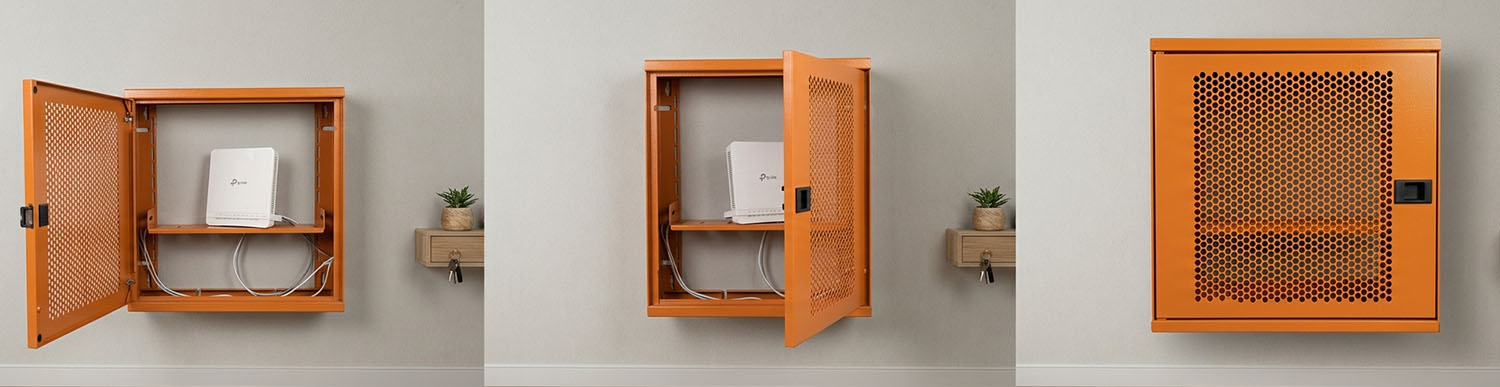
A modem can be hidden by placing it inside a modem box, positioning it in a suitable furniture compartment or moving it to a less visible location. Whichever method you choose, it is important to maintain adequate ventilation, Wi-Fi signal coverage and access to cables. The ALFAHOME Ziglat series offers lockable, wall-mounted metal modem boxes designed for this purpose.
Estimated reading time: 5 minutes
A modem can be hidden using a modem box, placed inside a suitable furniture compartment, concealed by organising its cables or moved to a less visible location using a fibre-optic cable extension. These are some of the most practical ways to keep a modem out of sight.
However, completely enclosing a modem is not always possible or advisable. The device needs to dissipate heat and transmit Wi-Fi signals. The aim should therefore be to create a neat and organised appearance rather than making the modem completely invisible.
The indicator lights, antennas and cables can make a TV unit, hallway or desk area look cluttered. The most suitable solution depends on where the modem is positioned and how its cables are arranged.
Do not obstruct ventilation. Modems generate heat during operation. An unventilated compartment or enclosed box can cause the device to overheat. Check the modem manufacturer's placement recommendations.
Test your Wi-Fi signal. Metal materials and enclosed compartments can affect signal propagation. After concealing the modem, test the connection in rooms farther away.
Keep cables accessible. You should be able to connect and disconnect the power adapter, Ethernet cable and internet line when necessary. Cables must not become trapped when the door is closed.
For more detailed guidance on these considerations, see our guide: What Is a Modem Box? What Is It Used For and How Do You Choose One?
A modem box houses the modem and its connecting components in a single wall-mounted enclosure. Models with cable entry points allow cables to be managed inside the box, reducing visible cable clutter.
This method is suitable for hallways, entrance areas, workspaces and offices where you want to mount the modem on a wall rather than place it on furniture.
A suitably sized shelf or compartment in a TV unit can keep the modem out of sight. However, enclosed and narrow compartments can restrict airflow, so leave sufficient clearance at the back and sides.
A hole or opening at the rear of the compartment can also make cable routing easier.
The main cause of visual clutter is often not the modem itself but the power and internet cables around it. You can create a neater appearance by using cable trunking, cable ties or planned cable routes behind furniture.
When using cable organisers, avoid putting pressure on the cables and ensure that all connections remain accessible.
If the modem's current position is unsuitable, you may be able to relocate it. With a fibre-optic connection, moving the modem or ONT device to the desired location can be more difficult if the existing cable does not reach.
In this case, our guide to extending a fibre-optic cable may help.
When choosing a new location, consider its proximity to a power source and the areas that need Wi-Fi coverage. When exploring modem placement ideas, assess airflow, access to the power supply and wireless coverage together.
TV unit: Use a ventilated compartment or install a wall-mounted modem box beside the unit.
Hallway or console table: As the fibre connection often enters the property here, a wall-mounted modem box can keep the connection point and modem together.
Study or home office: If you use a modem, router and switch together, housing them in one enclosure can help reduce cable clutter.
Offices, cafés, shops, clinics, hotels and shared spaces: A lockable enclosure can help restrict unauthorised access to networking equipment.
Cover the modem with a cloth or blanket.
Place it near a heat source, such as a radiator, stove or sun-facing window.
Squeeze it into a narrow, unventilated compartment.
Place a metal obstruction directly in front of the antennas.
Make all connection points inaccessible.
Place the modem inside an enclosed housing without checking the manufacturer's operating recommendations.
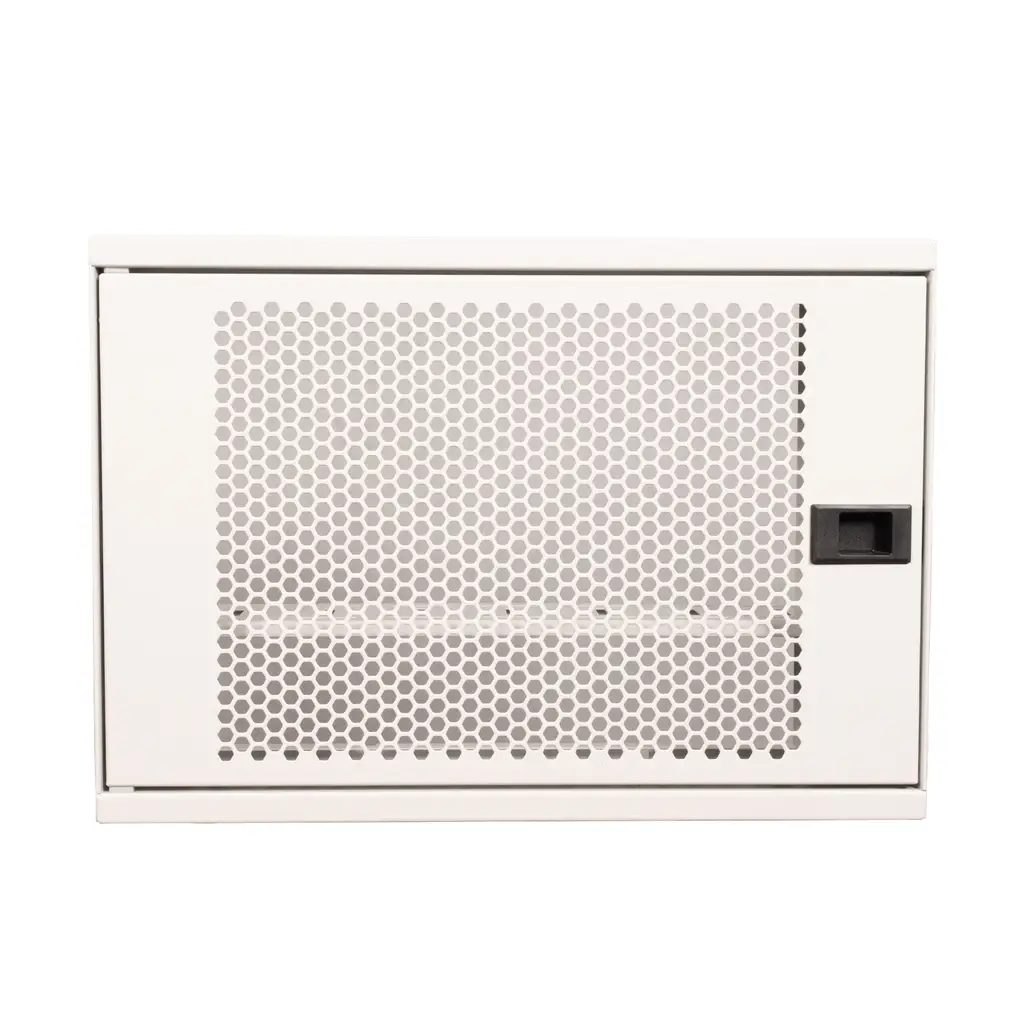
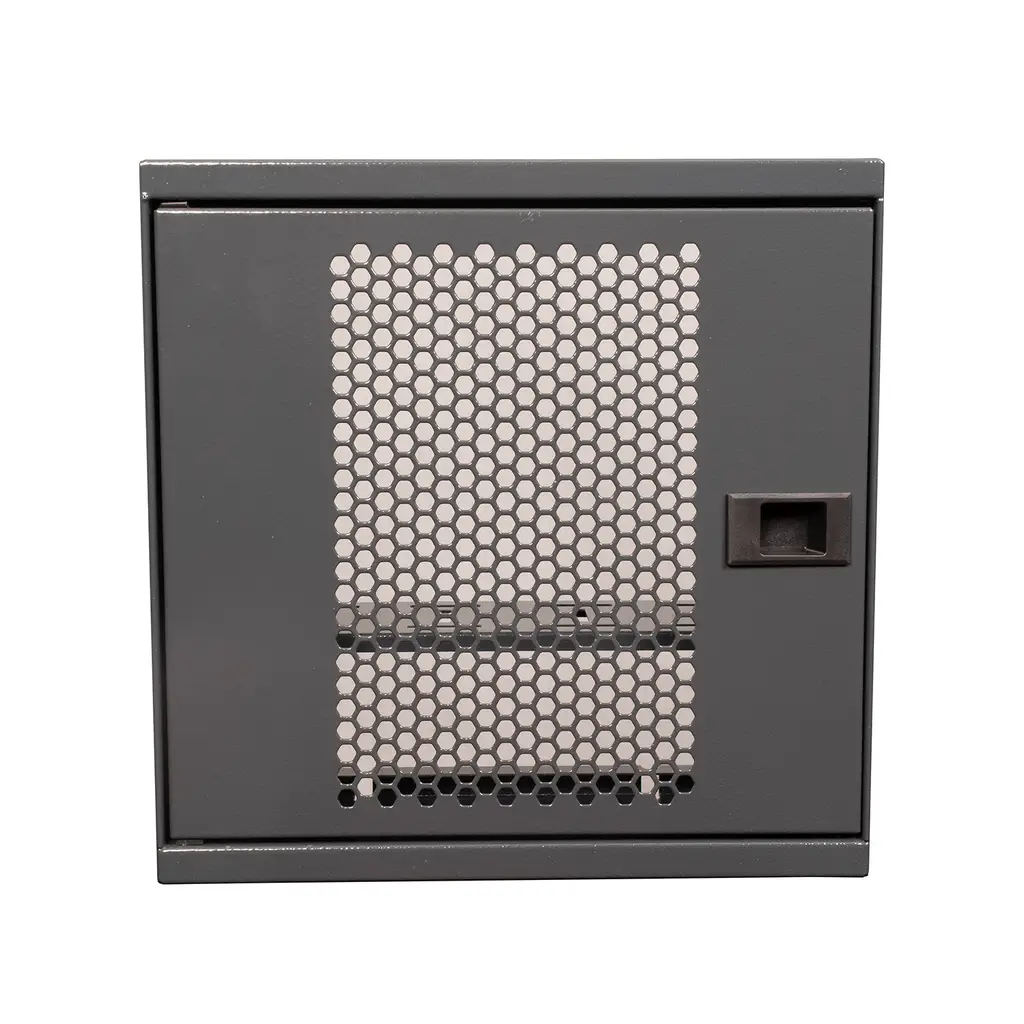
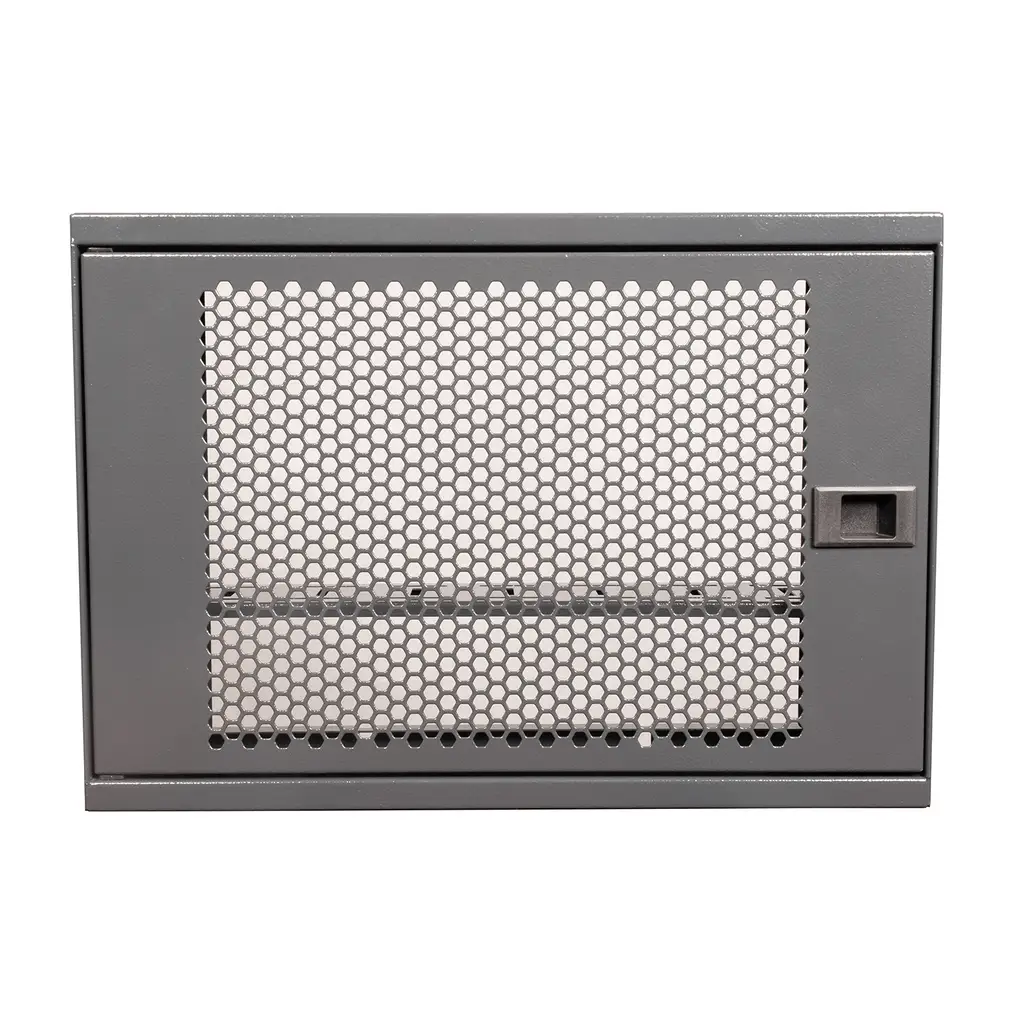
The ALFAHOME Ziglat series consists of lockable, wall-mounted metal modem boxes designed to house modems, routers, ONT devices (fibre-optic network terminals), switches, sockets, power adapters and connecting cables in one place.
The series shares the following features:
Metal body with an electrostatic epoxy-polyester powder-coated finish.
Perforated metal front door designed to support air circulation.
Cable entry points.
Wall-mounting brackets, with the products supplied assembled.
Four colour options: Anthracite Grey, Matt White, Orange and Green.
Two-year warranty and manufactured in Türkiye.
The available colours allow you to choose an enclosure that blends with your wall colour or use it as a decorative accent. The lockable design is useful for restricting access in offices and shared spaces. [Lock type: confirm the specification before publication.]
| Model | Colours | Dimensions |
|---|---|---|
| Ziglat 450 | Anthracite Grey, Matt White, Orange, Green | 450 × 350 × 120 mm |
| Ziglat 400 | Anthracite Grey, Matt White, Orange, Green | 400 × 280 × 120 mm |
| Ziglat 280 | Anthracite Grey, Matt White, Orange, Green | 280 × 280 × 120 mm |
Explore all models in the Wi-Fi Box – Modem Box category.
Note: The Ziglat series features a perforated metal front door that, according to the product description, supports air circulation. The effect of a metal enclosure on Wi-Fi performance depends on the modem's antenna position and the surrounding environment. Test coverage after installation. The product does not make the modem completely invisible; instead, it provides a neater and more organised appearance.
| Criteria | Wall-mounted modem box | Inside furniture | Relocation using a fibre extension |
|---|---|---|---|
| Best suited for | Keeping the modem and cables together | Spaces with suitable ventilation | When the modem cannot reach the desired location |
| Cable management | Using the enclosure's entry points | Depends on the furniture's cable openings | Requires cable management at the new location |
| Ventilation | Depends on the door design | Depends on compartment openings | Depends on the new location |
| Key consideration | Dimensions, mounting and Wi-Fi testing | Airflow and cable access | Compatibility of the extension cable |
You can conceal a modem using a modem box, a suitable furniture compartment or cable management, or move it to a less visible location. Whichever method you choose, maintain adequate ventilation, Wi-Fi coverage and cable accessibility.
This is not recommended. A cloth or blanket can restrict airflow and cause the modem to overheat. Choose a box or compartment with suitable ventilation instead.
Yes, provided the compartment allows sufficient airflow and there are no substantial metal or dense material obstructions between the modem and the surrounding area. Check Wi-Fi performance after installation.
Yes. It can be housed in a box with suitable dimensions and ventilation. Make sure the fibre cable is not pinched or sharply bent. If the existing cable does not reach the desired location, see our fibre-optic cable extension guide.
Yes. The ALFAHOME Ziglat series is available as lockable metal cabinets. This can be useful in offices, cafés, shops and shared spaces where access to networking equipment needs to be restricted.
A modem box does not directly reduce internet speed. However, its material and the modem's position can affect Wi-Fi signal strength. Test your connection after concealing the device.
The best way to hide a modem is to choose a solution that suits your space and cable layout while maintaining adequate ventilation, Wi-Fi coverage and access to connections. A modem box is a practical option if you want to keep networking equipment and cables together in one place.
Compare the dimensions and colour options of the ALFAHOME Ziglat 450, 400 and 280 models in the Wi-Fi Box – Modem Box category.
13.10.2026Alfahome Ziglat 400 Series Wifi Box and Modem Box- Lockable Metal Cabinet
Alfahome Ziglat 280 Series Wifi Box and Modem Box- Lockable Metal Cabinet
Alfahome Ziglat 450 Series Wifi Box and Modem Box- Lockable Metal Cabinet




Alfafonet Complete Connectivity Solutions © 2026 All Rights Reserved.


0
)